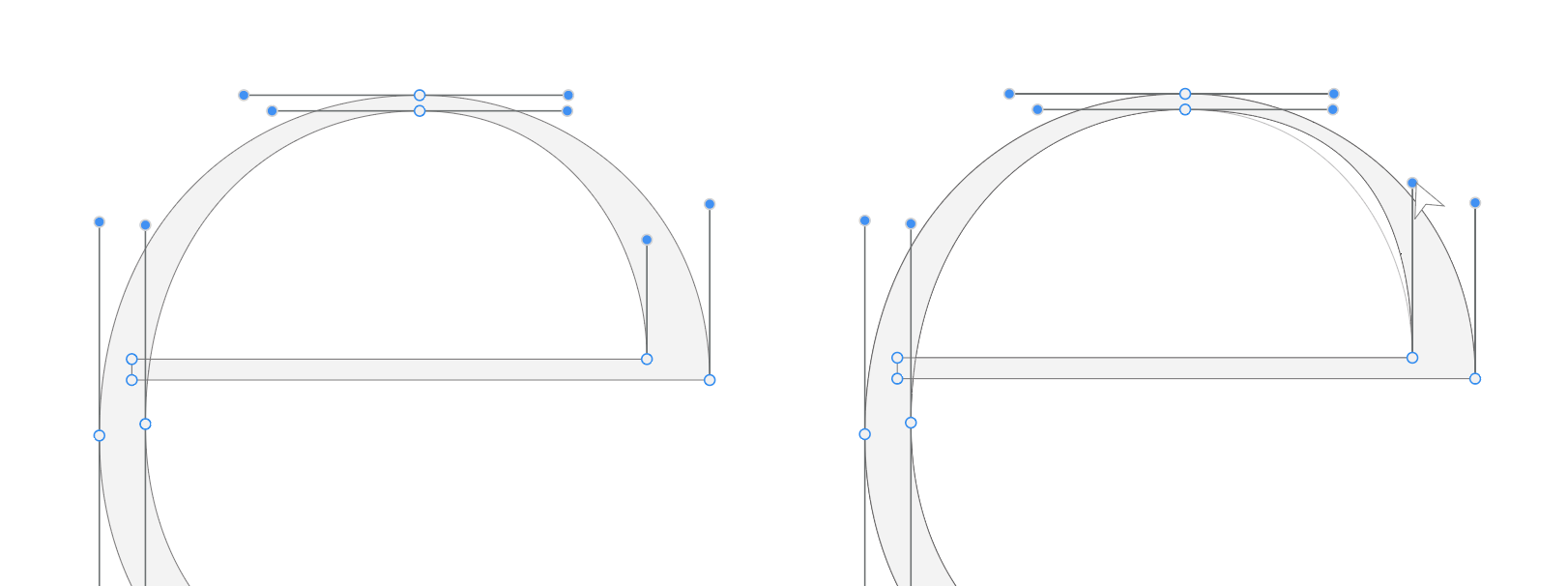
It would be very useful if VectorStyler could display a faint “ghost” outline of the previous shape while editing a path.
When moving a path segment, line, node or Bezier handle, the previous position of the shape could remain visible as a light outline in the background. This would allow the user to visually compare the original shape with the new shape while editing.
How it could work
• When a path segment, line, node or handle is moved, the previous shape appears as a faint ghost outline.
• The user can visually compare the new shape with the original one.
• Optionally, snapping to the previous position could also be supported.
Why this is useful
During path editing it is very easy to lose the original form while making small adjustments.
A ghost preview would allow users to:
• see exactly how much the shape has changed
• avoid accidentally distorting the original form
• easily return to the previous position if needed
Benefits
• Faster path refinement
• Better visual comparison during editing
• More controlled adjustments
• Improved overall vector editing workflow
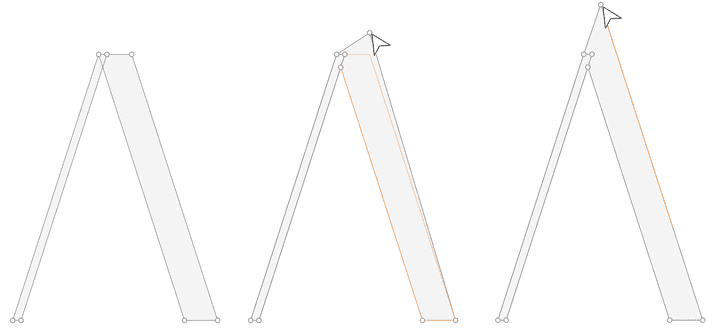
In this example, the side of the A is extended while maintaining the exact same angle and direction by snapping to the ghost line.
It also helps when adjusting handles, making it easier to match the previous curve tension and refine the shape without changing its original geometry.
VectorStyler already has very powerful path tools, and this feature could make precise editing even more comfortable.
Hi, i am trying to work with a text document of several pages. My intention is to use VS DTP capabilities, but im not being sucessful until now.
I added 16 pages -artboards VS calls them- and then i tried to setup the margins for all of them.
You can see in the video some weird things the screen does, and later how it crash when setting up the margins.
Im not sure what is the problem and if you can replicate it. I had several crashes but this one i can document.
Hi, im trying to setup my margins, but even i changed the ruler to centimeters, when i go to the artboard margin option, it only allow me to enter the value in "pt". Is possible to change margins in centimeters or any other numeric system?

Im a little confused to know where i set-up the margins of the document, and how i make them to display.
A handy feature i have found in some others DTP software is the autoframe option. It means that when you make a Text frame in a page, if there are text that exceed the boundaries, the autoframe feature will add the necessary amount of pages with frames to accomodate all your text.
This is handy when you import, let`s say, a 20 pages text document. Instead of add each text frame one by one, you can do it automatically. Offenly autoframe takes as reference the original frame where you placed your text, and creates the following frames in the same position and with the same size.
Offenly the autoframe feature is an icon below the link to other frame option.

This is another weird one.
Windows 10. VectorStyler 1.3.011
When I click the little gear on any stroke in the Appearance panel, nothing happens. The dropdown menu which should let me change the stroke's properties does not appear.
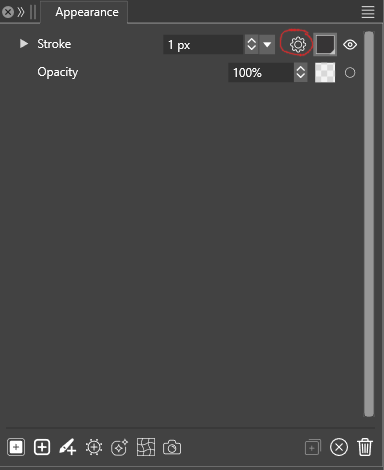
This has been an ongoing issue for a while now, although the dropdown did work previously. I don't remember what the last version of VectorStyler that worked for me but it was sometime in 2025. Maybe this is a regression in 1.3?
I have been working around it by changing the stroke through the Properties window, although that has its own shortcomings.
I assumed that this was somehow due to my workspace, document or configuration settings. But this behavior persists even when I have reset the settings and workspace to defaults and created a new document. Likewise for both Software and OpenCL compute engines.
All other dropdown menus in the program appear to work correctly.
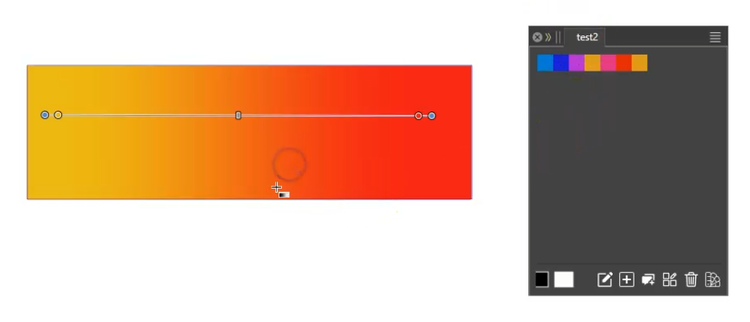
Way to create a multi color gradient from colors of a color palette.
Made a few suggestions related to the creation of multi-colored gradients.
@ericp suggested an additional idea that turned out to already exist in Vectorstyler.
Here the Link:
https://www.vectorstyler.com/forum/topic/5687/alternative-ideas-for-gradient-creation/8
I'm posting this idea here again so that other users can find it too.
Note:
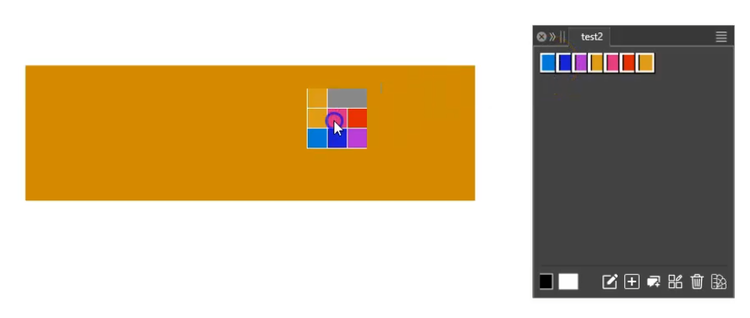
Colors in a color palette can be selected this way
hold Ctrl (Win) and select colors in any order.
Hold Shift key (Win) to select a bunch of colors in
the direction of a line.
The Selectet colors can be dropped via drag and drop
onto a selected object with a Gradient.
.
.
.
Here the Steps for other Users:
.
Create or select an object with a gradient.
.
.
Select the colors in a color palette while holding
down the Shift or Ctrl key (Windows).
Drag the selected colors from the color palette onto the object
with the gradient. The object's fill will change to
a solid color.
.
.
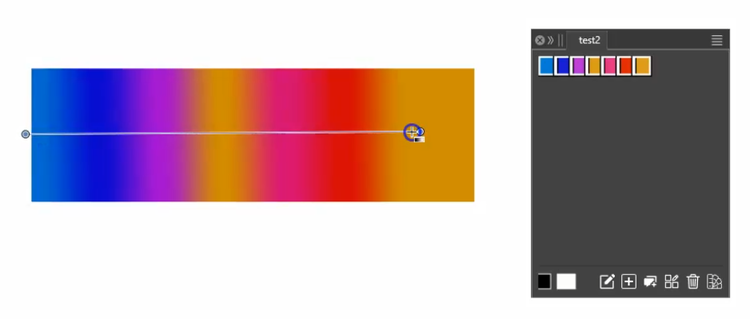
Now, drag the gradient again with the Gradient Tool, and
the gradient will now display the colors you selected.
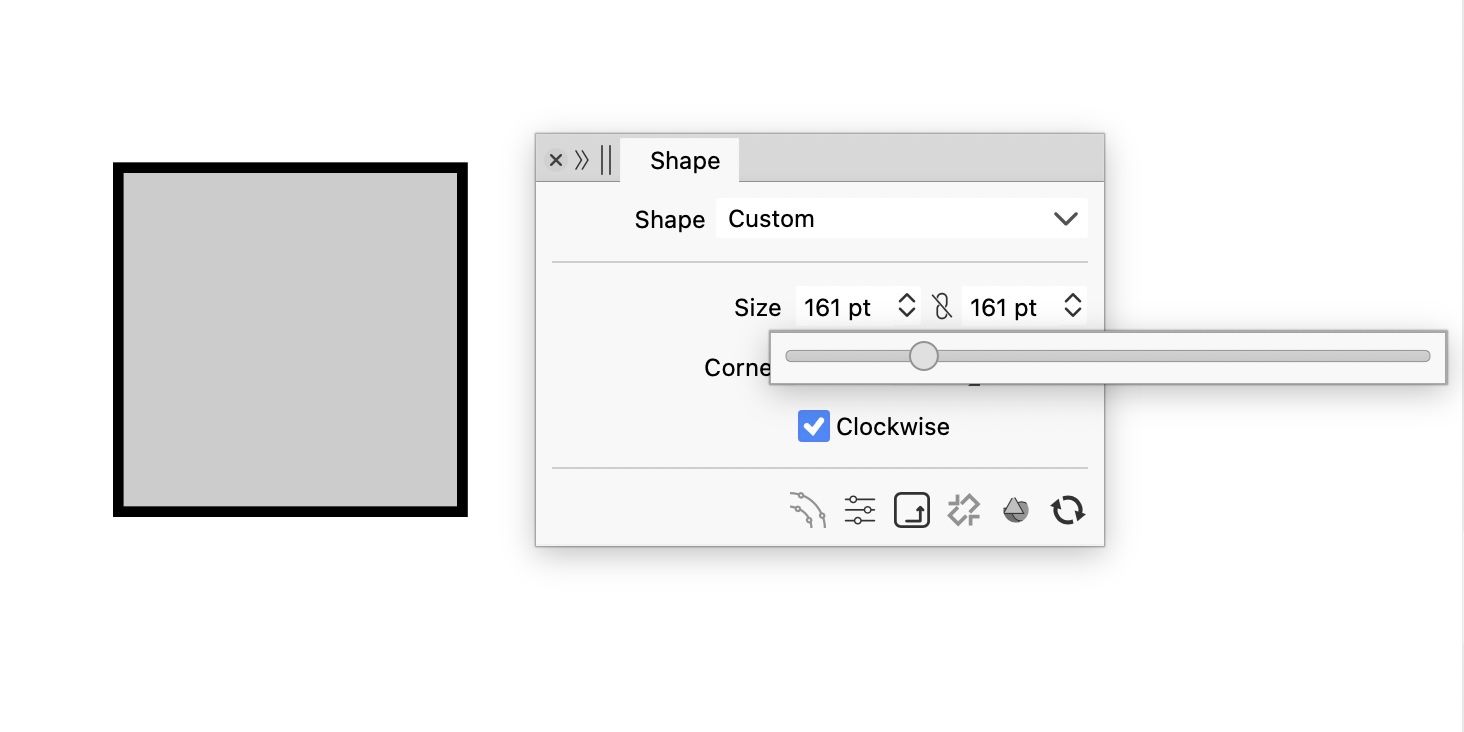
How to disable number slider across app? In some panels it is disabled. Just want number change at the click of the up/down arrow button only.
Hi, I used the trial but didn’t have enough uninterrupted time to evaluate it properly. I’m still seriously considering purchase. Would it be possible to extend the trial briefly so I can test it properly again?
Thank you,
Mike
Getting this error. I did, reset all defaults etc.
Cannot save in any location.
"The file location or media has been changed, and the document cannot be written to the file name!"
macOS Big Sur
Version 11.7.11
Please help.
Thank you.

Could there be an option to have everything look faded to dark instead of brighter?
